Headless CMS or classic WordPress?
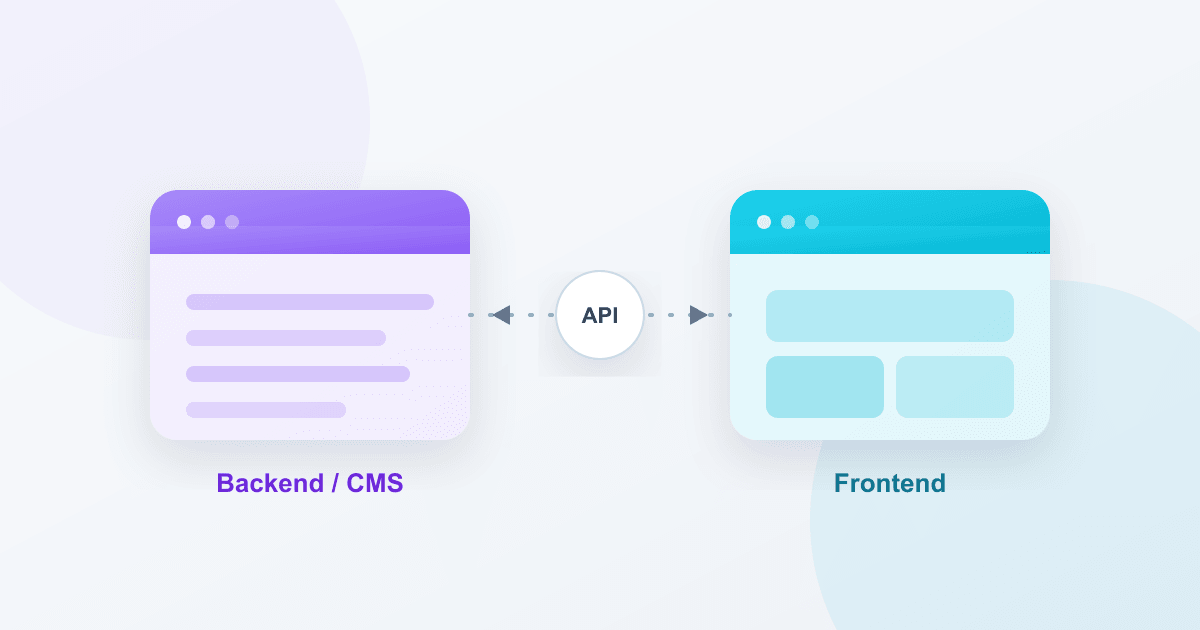
“Should we go with a headless CMS or stay on WordPress?” – we hear this in almost every first call. The honest answer: it depends. Not on the trend, but on your team, your content and your roadmap. This article helps you make the decision with a clear head.
What are we actually talking about?
With classic WordPress, content management and presentation come from one system: the editorial side, the theme and the website are tied together. It is proven, quick to launch, and more than enough for most websites.
With a headless CMS, you separate content management (the “backend”) from presentation (the “frontend”). The CMS only delivers content as data through an API; you build the frontend with modern frameworks like Nuxt, Next.js or Astro. WordPress, by the way, can also run headless – more on that below.
When classic WordPress is the right choice
- One website, one channel. You run a company site, a blog or a manageable shop – no app, no second frontend.
- Your team manages content itself. A familiar editor, previews and plugins matter more than maximum technical freedom.
- Budget and time-to-market count. Classic WordPress is usually faster and cheaper to launch.
Important: “classic” does not mean “outdated”. With a cleanly built theme and a well-thought-out field structure, WordPress is fast, secure and maintainable.
When a headless CMS pays off
- Multiple output channels. Website, app, kiosk display, partner integration – the same content in many places.
- The highest demands on performance and UX. A decoupled frontend can be optimised for speed and interaction without compromise.
- A clear content structure. Your content is cleanly modelled and should stay flexible and reusable over the long term.
The price of that freedom: more moving parts. Two systems need to be built, deployed and maintained. That is money well spent – but only if you actually need the benefit.
The middle ground: running WordPress headless
Often the best solution is not an either/or decision. You can keep WordPress as the familiar editorial system and still put a modern frontend in front of it. Your team keeps working in the editor they know, while the website gains the speed of a decoupled frontend.
For this to work cleanly, content types and fields have to be set up as a clear structure from the start – versioned in code, not clicked together. That is exactly what we built our own tools for.
How to make the decision
Ask yourself three questions:
- How many channels should your content serve over the next two years?
- Who manages the content – and how technical is that team?
- How far should the frontend move away from a classic website?
The more channels, the more technical the team, and the more independent the frontend, the more a headless approach pays off. If it stays a single website with an editorial team, classic WordPress is usually the better fit.
Our conclusion
There is no universally right answer – only the one that fits your project. What matters is making the decision deliberately, before the first line of code is written. That is exactly where we start every project: with the data model and an honest assessment of what you really need.
Planning a new project or a relaunch? Book a free 30-minute first call – we will frame your requirements and tell you openly which path is worth taking.